A game design document (GDD) is the living source of truth that describes what a game is, who it’s for, and how it should behave across every discipline on your team. Think of it less as a contract and more as a shared language: the document that keeps your programmer, artist, and QA tester working from the same mental model of the game. The DOOM Bible, Tom Hall’s legendary 1992 design document for id Software, proved that a well-structured GDD could define a genre. The Diablo GDD showed how systems thinking on paper translates directly into addictive loops in the final product.
Every useful GDD, regardless of scope, covers these core elements:
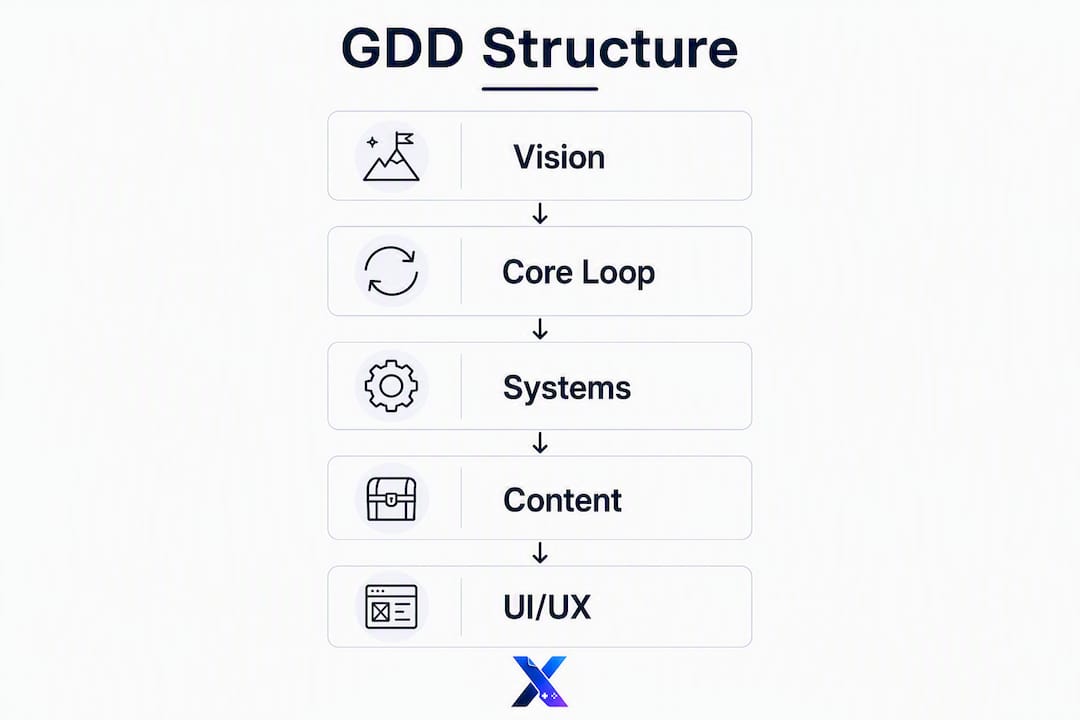
- Elevator pitch: One paragraph. What is the game, who plays it, and what makes it worth making?
- Core loop: The repeating cycle of player actions (explore → fight → loot → upgrade).
- Systems and mechanics: Rules, economy, progression, and how systems interact.
- Content outline: Levels, characters, items, and volume counts.
- UI/UX: Key screens, navigation flow, and first-run experience.
- Scope and milestones: Features in, features out, and ship dates.
- Non-goals: What the game explicitly will not do or include.
Start there. Everything else is expansion.
Table of Contents
- What can real GDDs teach you?
- What does a studio-ready GDD table of contents look like?
- How do you write a GDD that your whole team will actually use?
- Which tools and formats work best for your team size?
- What mistakes kill a GDD before the game ships?
- Key Takeaways
- Why most GDDs fail the team, not the other way around
- GameDesignerX gives your GDD a structured home from day one
- Useful sources and GDDs worth reading
What can real GDDs teach you?
The most efficient way to learn GDD structure is to read documents that shipped real games. Each one solves a different problem.

The DOOM Bible (1992) is the most studied design document in game history. Tom Hall wrote it to define id Software’s first-person shooter before a single level existed. Its primary lesson is scope control: Hall described the world, the enemies, and the tone in concrete terms, then explicitly listed what the game would not include. The document was eventually set aside as the team’s vision evolved, which is itself a lesson: a GDD serves the team, not the other way around.
The Diablo GDD is a masterclass in systems mapping. The document traces how loot, character stats, and dungeon generation connect into a single self-reinforcing loop. Reading it, you can see how the designers thought about player motivation before writing a line of code. The takeaway: document your systems as a web, not a list, so dependencies are visible.
The BioShock GDD integrates narrative and mechanics in a way few documents do. Ken Levine’s team described how the game’s political philosophy (Objectivism, the fall of Rapture) would express itself through player choices and environmental storytelling. The lesson is that your GDD’s narrative section should explain why the story choices reinforce the core loop, not just summarize the plot.
Deus Ex and the original GTA design documents show the range that exists between a short concept-focused doc and a long printed bible. Deus Ex leaned heavily on player-choice philosophy; the original GTA doc was closer to a feature list with tone notes. Neither approach is wrong. Historical GDDs show a range from short, concept-focused docs to long, printed bibles, and the right length depends entirely on your team’s needs.
What to borrow from these examples: section structure, the clarity of rules, and the habit of stating non-goals explicitly. What to avoid: document bloat (the DOOM Bible ran long and was partially abandoned), unreadable technical dumps, and specs that describe implementation rather than player experience.
What does a studio-ready GDD table of contents look like?
Typical GDD structure starts broad (vision) then becomes more specific, moving from core loop to systems to content to UI to production. Below is a copy-ready TOC with guidance on what to write in each section.
| Section What to include Owner Example snippet | |||
| 1. Overview / Elevator Pitch | One paragraph: genre, platform, target audience, core fantasy, and USP. | Game Director | “A top-down roguelite where every run teaches you one new rule about the dungeon.” |
| 2. Design Pillars | 3–5 guiding principles that resolve creative disputes. | Game Director | “Fast, readable, and fair.” |
| 3. Core Loop | The repeating player action cycle, written as a flow. | Lead Designer | “Explore → fight → loot → upgrade → repeat.” |
| 4. Mechanics and Systems | Rules, economy, progression, and system interactions. | Lead Designer | Stat ranges, cooldown logic, economy balance targets. |
| 5. UI/UX | Key screens, navigation map, first-run experience, accessibility notes. | UX Lead | Wireframes or annotated screenshots. |
| 6. Content Outline | Volume counts: levels, characters, items, quests, dialogue lines. | Content Lead | “12 biomes, 40 enemy types, 200 item variants.” |
| 7. Art and Audio Direction | Visual style, reference images, audio mood, and technical constraints. | Art Director | “Pixel art, 16-color palette per biome; chiptune with live percussion.” |
| 8. Technical Specs | Target platform, engine, performance goals, and integration requirements. | Tech Lead | “PC/Switch, Unreal Engine 5, 60 fps at 1080p.” |
| — | Features in/out, milestone dates, risk register. | Producer | Alpha: core loop playable. Beta: all content in. |
| 10. Marketing / Go-to-Market Notes | Positioning, comparable titles, store page copy direction. | Producer / Marketing | “Positioned between Hades and Dead Cells for roguelite fans.” |
| — | Version history, section owners, last-updated dates. | All leads | “v1.3 — 2026-03-10 — Core loop revised after prototype feedback.” |
Quick-fill prompts you can paste directly into your GDD:
- Core loop: “The player’s primary action cycle is: [ACTION 1] → [ACTION 2] → [ACTION 3] → [REWARD] → repeat.”
- Win/lose conditions: “The player wins when [CONDITION]. The player loses when [CONDITION].”
- Content volume: “The game ships with [N] levels, [N] enemy types, [N] items, and [N] minutes of audio.”
- Non-goals: “This game will NOT include [FEATURE]. Reason: [RATIONALE].”
- Design pillar check: “Does this feature serve [PILLAR 1], [PILLAR 2], or [PILLAR 3]? If not, cut it.”
Effective GDDs include an elevator pitch, core loop, systems, narrative arcs, visual/audio direction, UI/UX wireframes, and production scope — but no single rigid format fits every project. Tailor the TOC to your team’s actual needs and trim sections that don’t affect implementation decisions.
How do you write a GDD that your whole team will actually use?
The primary failure of GDDs is treating them as static blueprints instead of communication tools. A document your team never opens has failed, regardless of how thorough it is.
1. Map your audience before you write a single section. Your producer needs milestones and scope. Your engineers need rules, edge cases, and system dependencies. Your artists need tone, reference, and content volume. Your QA team needs win/lose conditions and expected behavior. Your marketing lead needs the elevator pitch and comparable titles. Write each section for the person who will act on it, not for yourself.

2. Match document depth to project phase. Start a lightweight GDD in pre-production and expand as prototypes validate design. A one-pager works for a game jam or early pitch. A lightweight modular GDD (overview + core loop + rough systems) fits a prototype phase. A full production GDD with all eleven sections belongs in active development, after mechanics have been validated. A late, fully detailed GDD is less useful than a small, well-maintained living doc.
3. Write for the player, not the engineer. Readable, modular GDDs help artists, marketers, and producers understand decisions without engineering jargon. Describe what the player experiences, then add technical constraints as a note. “The player feels a burst of speed when dashing” is more useful than “velocity multiplier set to 2.5 for 0.3 seconds.”
4. Assign section owners and keep a lightweight changelog. Each GDD page should list its owner, last-updated date, and a one-line summary of what changed. This prevents stale content and reduces the confusion that happens when design and engineering are working from different versions of the same rule.
5. Schedule a short weekly review. Ten minutes per week is enough. Ask: what changed in the game this week that isn’t reflected in the document? Update those sections before the next sprint starts.
Pro Tip: Measure GDD success by how often your team references it. If designers, artists, and engineers aren’t opening it daily or weekly, the document is failing as a communication tool. Fix the format, not the content.
Which tools and formats work best for your team size?
Most modern GDDs live on online knowledge platforms or collaborative docs because searchability and version control matter more than formatting. The right tool depends on how many people need to read, edit, and act on the document.
Solo developers and game jam teams:
- A single Google Doc or Notion page works fine. Keep it to one page until you have validated mechanics.
- Even solo developers benefit from a lightweight GDD as a memory aid and decision record — you will forget your rationale for a design decision six months later.
- Export a PDF snapshot at each milestone so you have a dated record.
Small indie teams (2–10 people):
- A modular GDD in Notion, GitBook, or a shared Google Drive folder with clear section ownership.
- Use a naming convention:
GDD_[ProjectName]_v[Major].[Minor]_[YYYY-MM-DD]. - Link to assets (concept art, audio references, prototype builds) rather than embedding them.
- Keep a
/archivefolder for superseded versions.
Larger studios:
- Git-based documentation (Markdown files in a repo) gives you full version history and branch-based review workflows.
- Link Technical Design Documents (TDDs) from the relevant GDD sections rather than merging them.
- Use dashboards (Confluence, Notion databases) to surface milestone status and section ownership at a glance.
- Platforms like GameDesignerX combine real-time editing, structured modules, changelog tracking, and export options (PDF and Markdown) in one workspace built specifically for GDD workflows.
Export and sharing conventions:
- PDF exports for investor pitches and external stakeholders.
- Markdown exports for developers who want to version-control the document alongside the codebase.
- A printable one-pager (elevator pitch + core loop + scope) for onboarding new team members quickly.
What mistakes kill a GDD before the game ships?
The most common GDD failures are predictable, and most of them come down to the same root cause: the document was written for the writer, not the reader.
1. Document bloat. A 200-page GDD that nobody reads is worse than a 10-page doc that everyone uses. Use a Master Document for vision and high-level goals, and link to modular Feature Documents for evolving rules and balance numbers. Keep the main GDD actionable.
2. Treating the GDD as a spec, not a communication tool. Specs describe implementation. A GDD describes player experience and design intent. If your mechanics section reads like an API reference, rewrite it from the player’s perspective.
3. Vague mechanics language. “The combat feels punchy” is a design goal, not a mechanic. “The player’s attack has a 0.1-second hit-stop on contact, a screen shake of 4 pixels, and a sound cue within 50ms” is a mechanic. Be specific about rules; be evocative about tone.
4. Missing ownership. If no one owns a section, no one updates it. Assign a name to every section in the changelog header.
5. No changelog. Without version history, your team will argue about what the document used to say. A one-line entry per update is enough.
Pre-release GDD checklist:
- Every mechanic is described in testable terms (a QA tester can write a test case from it).
- Content volume is specified (levels, enemies, items, audio assets).
- UI/UX section includes wireframes or annotated mockups for key screens.
- Production milestones are dated and tied to specific deliverables.
- Non-goals are explicitly listed (at least three things the game will not include).
- Scope includes features in/out, a risk register, and target platform performance goals.
- Every section has a named owner and a last-updated date.
- The document has been read by at least one non-designer (producer, artist, or QA) who confirmed they understood it.
Pro Tip: When a section starts growing past three pages, ask whether it belongs in a linked Feature Document instead. The GDD’s job is to give context and direction; the Feature Document’s job is to hold the evolving details.
Key Takeaways
A game design document works when it functions as a living communication tool: concise, owned by named leads, and updated regularly enough that your team trusts it over Slack messages.
| Point Details | |
| Start small, then expand | Begin with a one-pager in pre-production; add detail only after prototypes validate your mechanics. |
| Structure top-down | Open with vision and elevator pitch, then move to core loop, systems, content, and production scope. |
| Assign ownership and changelog | Every section needs a named owner, a last-updated date, and a one-line change summary to stay current. |
| Separate master from feature docs | Keep the main GDD focused on goals; move evolving rules and balance numbers into linked Feature Documents. |
| GameDesignerX for integrated GDD work | GameDesignerX provides structured modules, real-time collaboration, changelog tracking, and PDF/Markdown export in one platform built for GDD workflows. |
Why most GDDs fail the team, not the other way around
The conventional wisdom is that GDDs fail because designers don’t update them. That’s true, but it’s a symptom. The real cause is that most GDDs are written as if the audience is the designer themselves: dense, jargon-heavy, and organized around how the designer thinks rather than how the reader needs to act.
A producer scanning for milestone dates shouldn’t have to read through three pages of combat system theory to find them. An artist looking for tone reference shouldn’t have to decode a stat table. When the document is organized around reader jobs rather than design categories, people actually use it.
The other thing most guides get wrong: they treat the GDD as a deliverable. It’s not. It’s scaffolding. The game is the deliverable. A GDD that’s beautifully formatted but six weeks out of date is worse than a scrappy Notion page that reflects yesterday’s decisions, because the beautiful one creates false confidence. Teams stop questioning assumptions when the document looks authoritative.
The most useful GDDs tend to be the ones that show their work: not just “the player has three lives” but “the player has three lives because playtests showed that one death per session is the frustration ceiling for our target audience.” That reasoning is what makes a document a communication tool rather than a spec sheet. It lets any team member evaluate a proposed change against the original intent, without needing to track down the designer who wrote the rule.
GameDesignerX gives your GDD a structured home from day one
Writing a GDD from scratch in a blank Google Doc means rebuilding the same structure every project. GameDesignerX is built specifically to skip that setup: structured modules for story, mechanics, characters, and world are already in place when you open a new project, so your team starts documenting decisions instead of formatting headers.
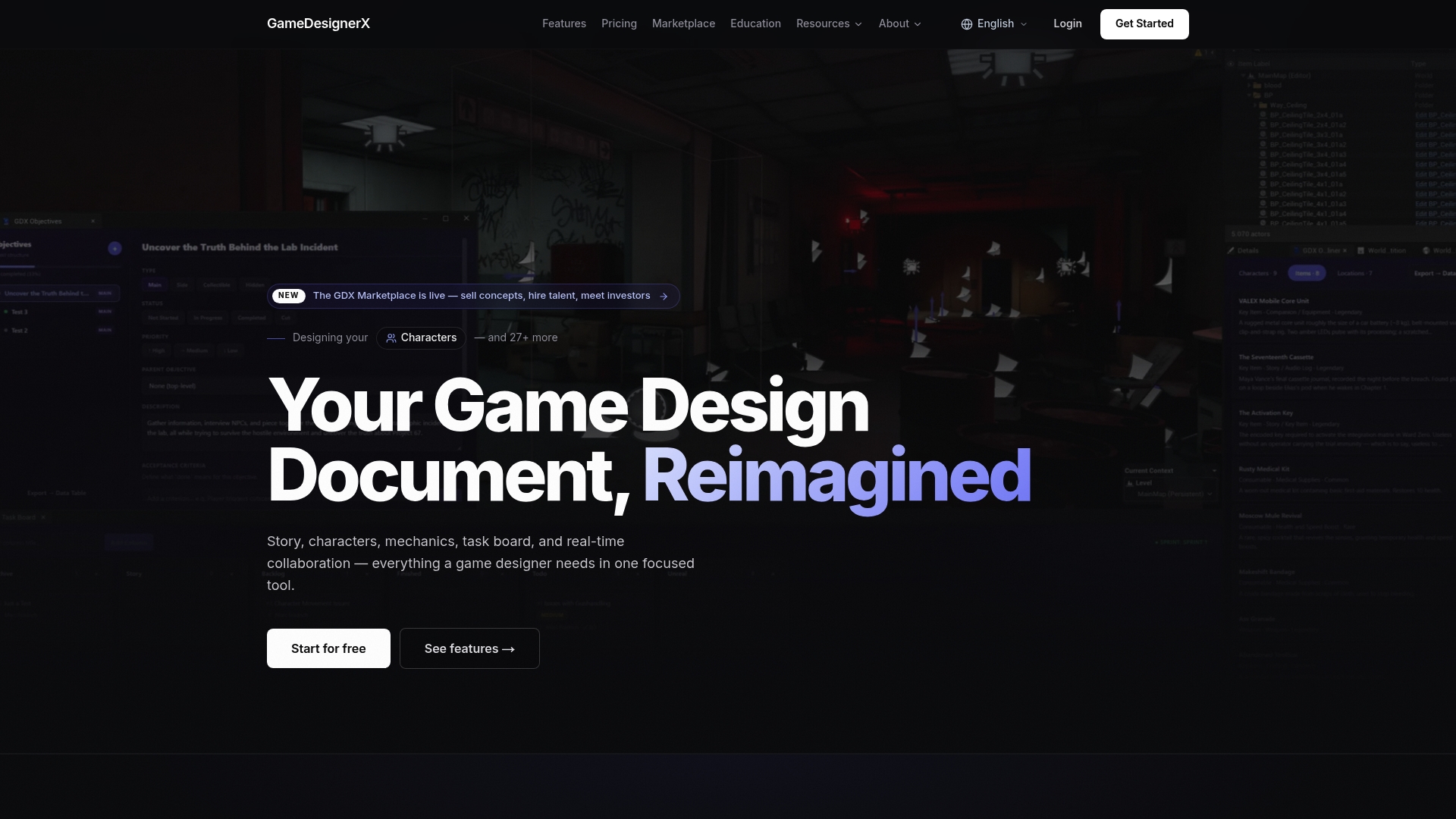
Real-time collaboration means your lead designer, artist, and producer are editing the same living document simultaneously, with a built-in changelog that tracks who changed what and when. The Unreal Engine plugin connects your GDD directly to your development environment, and export options (PDF and Markdown) mean your document is always ready for an investor pitch or a new team member’s onboarding packet. The marketplace lets you browse pre-built GDD projects if you want a head start on structure, or sell your own concepts when a project wraps. Visit GameDesignerX to explore plans and see the full feature set.
Useful sources and GDDs worth reading
The resources below are worth bookmarking. Each one offers something specific.
- Game Design Document Best Practices (GameDesignSkills) — Strong on the Master Document vs. Feature Document split; read this before your GDD hits 30 pages.
- How to Write a Game Design Document (GameDeveloper) — Industry-facing perspective on cross-disciplinary communication and what makes a GDD succeed or fail in production.
- Detailed Game Design Documentation Template (PickFu PDF) — A downloadable template with pre-filled section prompts; useful for solo developers and small teams.
- Free GDD Template and How-To Guide (Indie Game Academy) — Focused on indie-scale projects; good for teams who want a lightweight starting point.
- Game Design Document (Wikipedia) — Useful for historical context and a broad overview of how GDD conventions evolved across eras.
Historical GDDs to study:
The DOOM Bible, Diablo GDD, and BioShock GDD are the three most cited examples in game design education. When you read them, focus on three things: how scope is stated (or not stated), how systems are described in relation to each other, and whether the document reads from the player’s perspective or the engineer’s. Those three lenses will tell you more about what to borrow than any summary can.
Historical GDDs also reveal which sections carry the most implementation risk: mechanics and systems sections that are vague or incomplete are almost always where scope creep originates. Read those sections first when studying any example document.
Recommended
- GameDesignerX — Professional Game Design Document Tool
- Features — GameDesignerX
- Unreal Engine Plugin — GameDesignerX
- Introducing Game Designer X — A Modern Workspace for Game Design — GameDesignerX Blog — GameDesignerX