
Gamedesignerx is the recommended platform for game designers who need an AI-assisted, collaborative GDD workspace right now. The reason is specific: it combines real-time co-editing, structured design modules, integrated AI tools, a REST API, and an Unreal Engine plugin in one place, so your documentation and your engine pipeline stay in sync. According to Coursera, 36% of game developers already use AI in some part of their production workflow, which means the tooling gap between studios that have adopted AI and those that haven’t is widening fast. Start by visiting gamedesignerx.com to explore the free tier or book a demo.
- Real-time collaboration: Multiple designers edit the same GDD simultaneously, with versioning and role-based permissions.
- Structured modules: Pre-built sections for story, mechanics, characters, and world-building keep documents consistent across projects.
- Engine integration: The Unreal Engine plugin and REST API connect your GDD directly to your build pipeline.
- AI tooling: Integrated AI tools assist with ideation, prototyping sections, and generating structured content within bounded tasks.
- Marketplace: Sell concepts, post GDDs, hire collaborators, or pitch to investors from inside the platform.
Pro Tip: Before your demo, export one of your existing design docs as a PDF or Markdown file. Importing a real document into a trial environment tells you far more about fit than starting from a blank template.
Table of Contents
- What does an AI-assisted GDD platform actually do for your team?
- How do you evaluate and choose the right GDD platform?
- How should you actually use AI inside a GDD workflow?
- How does Gamedesignerx map to these evaluation criteria?
- What does pricing and onboarding look like?
- What about security, data ownership, and U.S. IP considerations?
- Key Takeaways
- Where human taste still wins
- Gamedesignerx gives you a real GDD workspace, not just an AI wrapper
- Useful sources and further reading
What does an AI-assisted GDD platform actually do for your team?
The four benefits that matter most are faster prototyping, repeatable documentation, AI-accelerated QA, and a genuine single source of truth for the whole team.
Faster prototyping is the most immediate win. AI tools can draft subsystem descriptions, generate enemy stat curves, or sketch out MVP phase structures in minutes. That raw output still needs a designer’s eye, but it compresses the blank-page problem from hours to minutes.
Repeatable documentation matters more than most solo designers realize until they work on a team. When every project uses the same structured modules, a producer can read a new GDD without a walkthrough, a QA engineer knows exactly where to find test criteria, and an engineer can locate the movement system spec without asking.
AI-driven testing scales scenario coverage in ways manual QA simply cannot match. Automated test scripts can run thousands of edge-case scenarios overnight, surfacing regressions that a human tester would rarely catch in the same timeframe. For designers, that means writing test criteria inside the GDD and having them feed directly into automated pipelines.
A significant portion of game developers already use AI for some part of development, per Coursera’s industry survey.
Pro Tip: AI returns the most reliable value on bounded, repetitive, or data-heavy tasks: localization passes, stat-table generation, unit test scaffolding. Keep core mechanic definition and final polish in human hands.
How do you evaluate and choose the right GDD platform?
Three features are non-negotiable: real-time collaboration with structured modules, versioning with role-based permissions, and engine plus CI/CD integrations. Everything else is secondary.
| Feature category Why it matters Minimum demo test | ||
| Real-time collaboration | Prevents version conflicts; keeps remote teams aligned | Edit the same section simultaneously with a second account |
| Structured modules | Enforces consistent doc architecture across projects | Create a mechanics module and a world module from a template |
| Versioning & permissions | Protects against accidental overwrites; supports review workflows | Roll back a change; restrict a contributor to read-only |
| Engine integration (Unreal, Unity) | Connects GDD to build pipeline; reduces manual sync | Install the plugin and pull a GDD section into the editor |
| Export (PDF, Markdown) | Enables sharing with stakeholders outside the platform | Export a full GDD and verify formatting fidelity |
| REST API | Allows CI/CD hooks and custom tooling | Call the API from a test script and retrieve a module |
| AI tools | Accelerates prototyping and structured content generation | Generate a phased MVP section and review output quality |
Questions to ask during a demo
- Who owns the content I create, and what license does the platform retain?
- How does the AI tooling handle attribution and provenance for generated content?
- What happens to my data if I cancel the subscription?
- Does the Unreal plugin support my current engine version?
- What are the SLA terms for enterprise or team plans?
Red flags to watch for: no public API documentation, no export to standard formats, vague IP ownership language in the terms of service, and no audit log for document changes.
Advanced engine connectors that expose editor assistant tools and MCP servers allow AI clients to inspect and modify scenes safely when properly sandboxed. Verify that any plugin runs in a sandboxed process with explicit tool-level permissions before connecting it to a production project.
Pro Tip: Ask the vendor for a case study from a team that completed a full production cycle on the platform, not just a pilot. Pilot success and production success are different things.
How should you actually use AI inside a GDD workflow?
The most effective approach is to steer the model rather than hand it the wheel. Use AI for bounded tasks where the manual cost is high and the creative risk is low. Keep human designers in charge of core mechanics, final polish, and anything that requires taste.
Tasks AI handles well:
- Drafting phased MVP sections with goal, tests per phase, and scope-cut rules
- Generating enemy stat curves and balance tables
- Writing unit test scaffolding for movement or physics systems
- Producing localization passes for UI strings
- Creating asset variant descriptions for art briefs
Tasks to keep human-led:
- Core mechanic definition and feel
- Narrative tone and character voice
- Final playtesting judgment calls
- Ethical review of AI-generated content
Example prompts for common design tasks
- “Generate a phased MVP section for a 2D platformer. Include final goal, three MVP phases, two tests per phase, one technical risk per phase, and one scope-cut rule.”
- “Create unit test cases for a third-person movement system: walking, sprinting, jumping, wall-sliding, and edge-case inputs.”
- “Produce a stat curve for 10 enemy types scaling from level 1 to 20. Output as a Markdown table with HP, damage, and speed columns.”
Prove each system individually before combining them. Camera, terrain, and networking each need a standalone technical proof before you merge them into a unified build. The same logic applies to AI-generated GDD sections: validate one module at a time, then integrate.
Research confirms that teams with explicit ethical and collaborative AI guidelines preserve creative intent better than those who adopt AI ad hoc. Write your team’s attribution and oversight rules into the GDD itself.
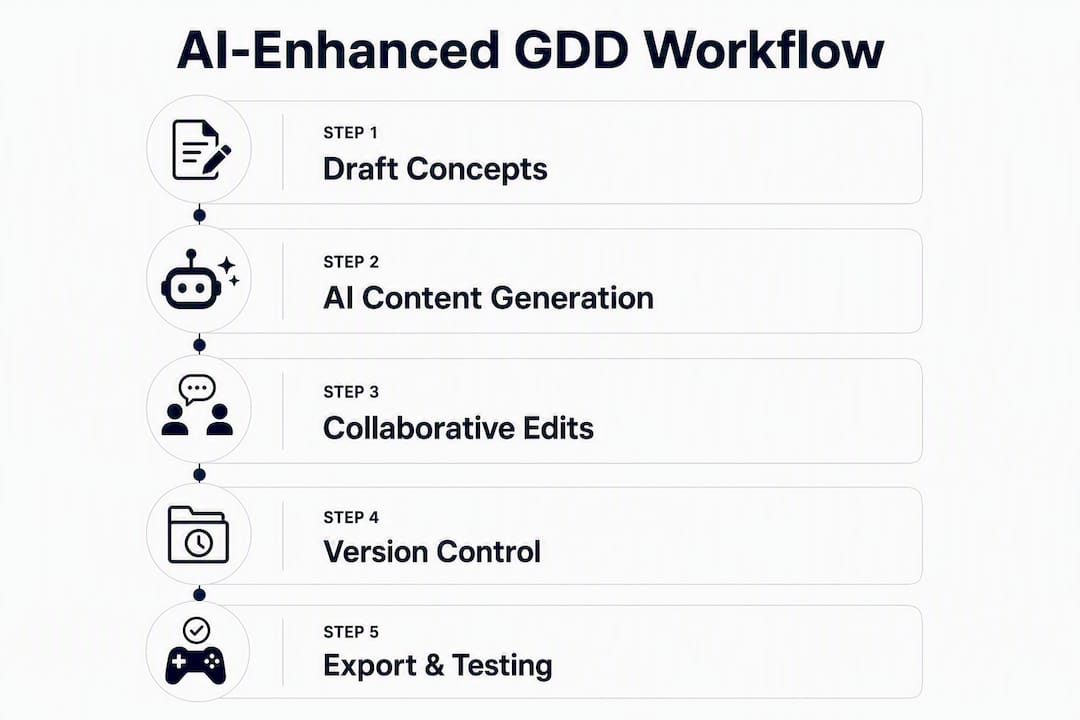
Pro Tip: Run a small technical proof on one system before merging. A camera system that works in isolation tells you whether the AI-generated spec is accurate before you build five more systems on top of it.
How does Gamedesignerx map to these evaluation criteria?
Gamedesignerx satisfies every must-have on the checklist. The full feature set includes real-time collaboration, structured GDD modules for story, mechanics, characters, and world, versioning with role-based permissions, PDF and Markdown export, a REST API, and an Unreal Engine plugin.
The platform’s AI tools are scoped to specific tasks inside the GDD editor: generating structured content within a module, drafting subsystem descriptions, and producing template-driven outputs. That scoping matters because it keeps AI in a bounded role rather than letting it overwrite design decisions wholesale.
During a demo, look for these UI elements: the module sidebar (where you select story, mechanics, or world sections), the task board (where QA test criteria link to GDD sections), and the export panel (where you choose PDF or Markdown output). The task board is the feature most teams underestimate. Linking a test criterion directly to a mechanics module means your QA engineer and your designer are looking at the same source of truth.

The marketplace adds a layer most GDD platforms skip entirely. Designers can sell finished concepts or complete GDDs, hire collaborators, or pitch directly to investors, all from inside the platform.
Pro Tip: During your trial, build one complete GDD module from a template, run the Unreal plugin connection, and export the result as Markdown. That three-step sequence covers the core workflow in under an hour.
What does pricing and onboarding look like?
Gamedesignerx offers seat-based subscription plans for individuals, teams, education institutions, and enterprises, with flat one-time listing fees for marketplace transactions. Free job listings are available at no cost. Educational institutions can access custom licensing through the education page.
Typical onboarding timeline
- Weeks 0–2 (Discovery): Import existing docs, install the Unreal plugin, configure role permissions, and run a sample GDD build from a template.
- Weeks 2–6 (Pilot): Run a real project module through the platform. Test AI-generated content in one bounded section. Connect the REST API to your CI pipeline.
- Months 1–3 (Routine value): Full team adoption, task board integration with QA criteria, and first marketplace listing or investor pitch if relevant.
- Import your existing design docs in PDF or Markdown format on day one.
- Install the Unreal Engine plugin during week one and verify the connection with a test pull.
- Configure AI template settings for your project type before generating any content.
- Run a timed test: generate a phased MVP section, review it, and merge it into the GDD within a single session.
Pro Tip: Set a 30-day pilot goal with one measurable outcome, such as completing a full GDD for one game system, before evaluating the platform for broader adoption.
What about security, data ownership, and U.S. IP considerations?
You own your content. Standard SaaS terms grant the platform a limited license to host and process your data for service delivery, nothing more. Read the terms of service carefully for the exact scope of that license before importing proprietary design documents.
Security checklist to verify before committing:
- Encryption at rest and in transit (AES-256 and TLS 1.2+ minimum)
- Role-based access controls and granular permissions per module
- Audit logs for all document changes and AI-generated content
- Plugin sandboxing with explicit tool-level permissions
- Data export and deletion rights on account termination
U.S. IP law currently does not recognize AI-generated content as copyrightable without meaningful human authorship. That means any GDD section generated entirely by AI without substantial human editing may not qualify for copyright protection. The practical fix is to treat AI output as a first draft, edit it substantively, and document that editing process. Require exportable asset manifests that record which content was AI-assisted and which was human-authored.
Sandboxed editor assistants and MCP-style bridges that expose structured tools for safe editor automation are the right model for plugin security. Verify that any AI connector runs in-process with explicit permissions rather than with broad file-system access.
Pro Tip: Require provenance metadata on every AI-assisted GDD section: who prompted it, when, and what edits were made. That record protects both your IP claim and your team’s creative attribution.
Key Takeaways
AI-assisted GDD platforms deliver the most value when AI handles bounded, structured tasks and human designers retain control of core mechanics, taste, and final review.
| Point Details | |
| Adoption is already widespread | 36% of game developers use AI in production; platforms without AI integration are falling behind. |
| Three must-have features | Real-time collaboration, versioning with permissions, and engine integrations are the non-negotiable evaluation criteria. |
| Steer, don’t automate | Use AI for bounded tasks like stat tables and test scaffolding; keep core mechanic definition and playtesting judgment human-led. |
| U.S. IP requires human authorship | AI-only output is not copyrightable; document your editing process and require provenance metadata on all AI-assisted content. |
| Gamedesignerx covers the checklist | The platform includes real-time collaboration, structured modules, Unreal plugin, REST API, AI tools, and a marketplace in one subscription. |
Where human taste still wins
AI multiplies output. It does not replace the judgment call that separates a good game from a forgettable one. The designers who get the most from AI-assisted workflows are the ones who treat it as a drafting assistant, not a decision-maker.
Consider what happens when a team uses AI to generate a phased MVP section for a movement system. The output is structurally sound: goal, phases, test criteria, scope-cut rules. But the feel of the movement, the exact weight of a jump, the moment a sprint starts to feel responsive rather than sluggish, none of that comes from a prompt. It comes from a designer who has played a thousand games and knows what “right” feels like. That judgment is a skill, not a template.
The teams that struggle with AI adoption are usually the ones who delegate too much, too early. They hand a core mechanic definition to an LLM, get something plausible, and ship it without the playtesting loop that would have caught the problem. The teams that succeed use AI to compress the documentation burden so they have more time for that loop, not less.
If you’re ready to test this in practice, a scoped two-week pilot on Gamedesignerx is the right starting point.
Gamedesignerx gives you a real GDD workspace, not just an AI wrapper
Most AI tools for game design are single-purpose: a prompt interface, a stat generator, an NPC dialogue tool. Gamedesignerx is the alternative for designers who need the full workflow in one place, from structured GDD creation to engine integration to investor pitching, with AI tools that stay in their lane.
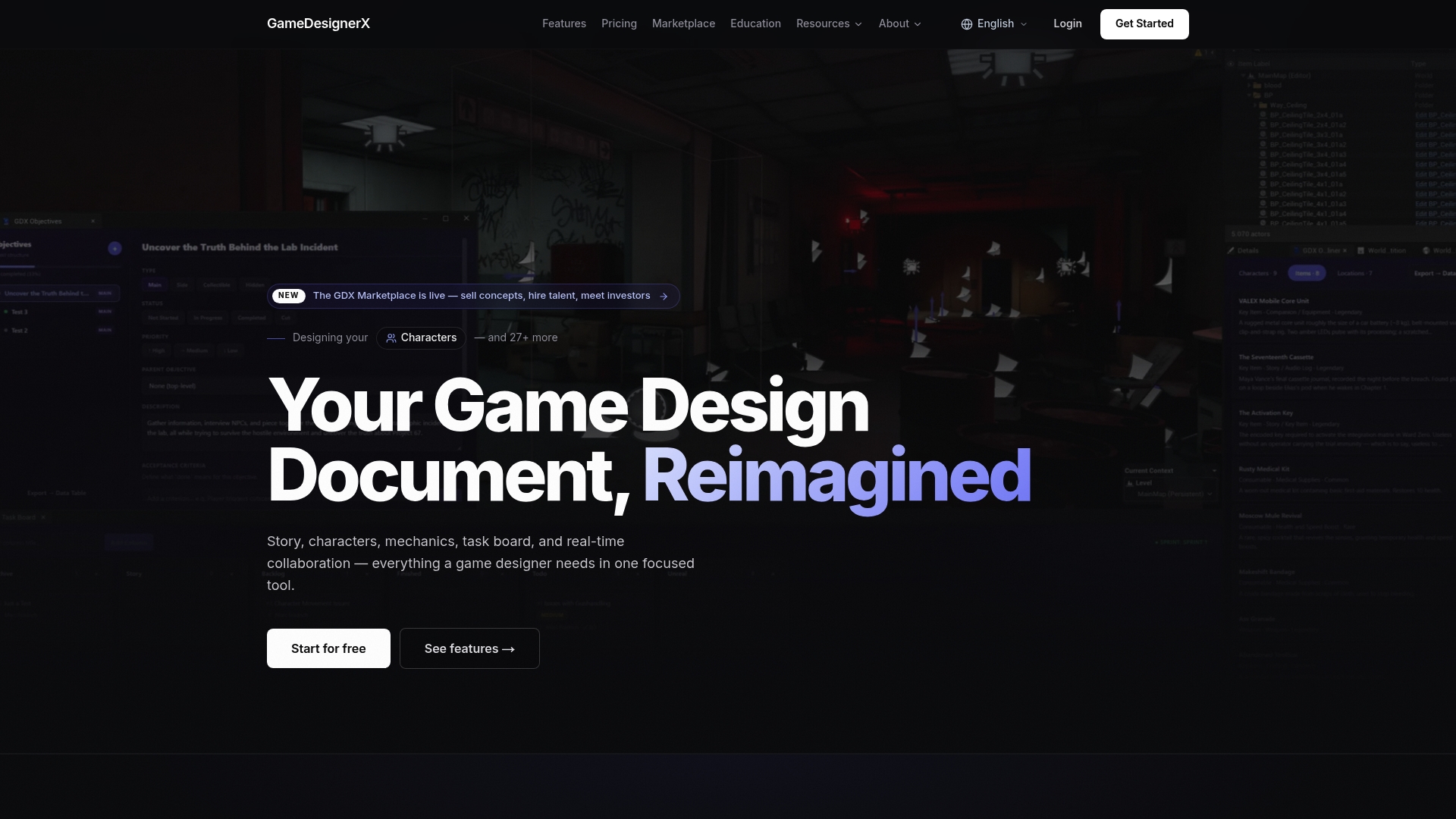
The platform’s core features include real-time collaboration, structured modules, versioning, PDF and Markdown export, a REST API, and an Unreal Engine plugin. The marketplace lets you sell concepts or finished GDDs, hire collaborators, or connect with investors without leaving the platform.
To start: visit gamedesignerx.com, sign up for the free tier or book a demo, and bring one existing design document to import. Run the three-step trial sequence: build a module from a template, connect the Unreal plugin, and export as Markdown. Onboarding documentation, case studies, and integration guides are available directly on the platform site.
Useful sources and further reading
“The key to successful AI-assisted game design is steering the model rather than relying on it for complete execution — use AI for bounded tasks where manual cost is high and creative risk is low.” — Ryan Fitzpatrick
- Generative AI in Game Design: Enhancing Creativity or Constraining Innovation? (PMC) — Mixed-methods study on AI’s role in ideation, authorship concerns, and the case for team-level ethical guidelines.
- AI for Game Development: What Is It and How to Use It? (Coursera) — Industry overview including the 36% adoption statistic and AI-driven QA testing benefits; backs the why-choose section.
- LLM Assisted Game Development Workflow — Ryan Fitzpatrick — Practical workflow guide covering bounded tasks, GDD structure, and iterative system proofs; backs the AI best practices section.
- AutoUE: Automated Generation of 3D Games in Unreal Engine via Multi-Agent Systems (ACL Anthology) — Academic paper on multi-agent systems for end-to-end 3D game generation in Unreal Engine, including automated play-testing pipelines.
- NVIDIA ACE for Games (NVIDIA Developer) — Suite of AI models and Unreal Engine 5 plugins for speech, animation, and NPC intelligence; reference for engine-level AI integration.
- UnAI Unity AI Connector (GitHub) — Open-source Unity editor assistant and MCP server for safe, sandboxed AI-to-editor integration; backs the security and integration checklist sections.
- Introducing Game Designer X — A Modern Workspace for Game Design (GameDesignerX Blog) — Platform vision and workflow overview; useful for understanding how Gamedesignerx addresses GDD pain points.
- Core Game Design Principles: The Fundamentals Every Designer Should Know (GameDesignerX Blog) — Reinforces the argument that human design skills remain central when using AI tools.
Recommended
- GameDesignerX — Professional Game Design Document Tool
- Features — GameDesignerX
- Introducing Game Designer X — A Modern Workspace for Game Design — GameDesignerX Blog — GameDesignerX
- Game Designer X is launching on 01.06.2026 — GameDesignerX Blog — GameDesignerX