Hiring managers spend a short amount of time on a portfolio before deciding whether to read further. What stops them cold is a process-first case study that shows your specific role, design goals, constraints, iteration, and measurable outcomes — not a gallery of screenshots.
Before you send your portfolio to anyone, confirm it has these above-the-fold essentials:
- Your headline role (e.g., “Systems Designer | Unity | Unreal Engine 5”)
- A contact link and resume PDF accessible within one click
- A few prioritized projects, each with a one-line summary of what you designed and why
- Clear role attribution on every project (solo, lead, or team member)
Quick checklist for each project: role, design goal, constraints, prototype or media artifact, iteration notes, measurable outcome or metric, and team attribution.
Pro Tip: Before sending to a recruiter, add one sentence to each project header that states your specific role and the core design problem you solved. That single change is the fastest way to go from “unclear” to “interview-worthy.”

Table of Contents
- What does a strong game design portfolio project look like?
- How should you document process and iteration?
- Which media formats make the strongest impression?
- How do you pick and order your projects?
- How should you list technical skills and tools?
- Where should you host your portfolio?
- What mistakes should you fix before sending your portfolio?
- How GameDesignerX maps to the portfolio case-study recipe
- Key Takeaways
- What hiring managers actually see in the first 90 seconds
- Your portfolio workflow, built around GameDesignerX
- Curated resources and example portfolios to study
What does a strong game design portfolio project look like?
Top-tier portfolios include several project case studies that highlight specific technical competencies and process documentation. Each project needs a repeatable structure so reviewers can evaluate your competence without hunting for information.

Here is the template:
Header block: Your role, team size, engine/tools used, and timeline. Keep it to two lines. “Narrative Systems Designer | 4-person team | Unity 2022 | 8 weeks” tells a reviewer everything they need to orient themselves.
Design goal: One sentence. What problem did this project solve for players or the team? “Players were losing track of quest objectives in open-world sections, so I redesigned the journal UI to surface-active goals contextually.” Specific, concrete, and immediately evaluable.
Constraints and scope: What shaped your decisions? Budget limits, engine restrictions, a two-week jam timeline, or a single-designer team all tell a reviewer how you think under pressure. Constraints are not weaknesses — they are context.
Process highlights: Prototypes built, playtests run, major pivots, and a short milestone timeline. Three to five bullet points work well here. Reviewers want to see that you tested assumptions, not just executed an initial idea.
Outcomes and metrics: User-testing results, retention signals, qualitative feedback from playtesters, or your own documented learnings. Even “playtested with 12 people; 9 of 12 completed the tutorial without prompting” is a real metric.
Deliverables and artifacts: Playable build link, video demo, annotated diagrams, and a GDD excerpt. Link or embed them directly — do not make a reviewer click through three pages to find your work.
Pro Tip: A compact GDD excerpt or one-page systems schematic signals production readiness faster than extra screenshots. It shows you can write structured documentation, which studios need from day one.
How should you document process and iteration?
Hiring managers want concise process entries that follow a clear arc: problem → experiment → result. They are not looking for a design diary — they want evidence that you think systematically.
Here is what to include, in order:
- Design goal — the specific problem or hypothesis you were testing
- Prototypes tested — what you built to test it (paper prototype, grey-box, coded mechanic)
- Playtest setup — sample size, method (think-aloud, observation, survey), and session length
- Key findings — the top two or three observations that changed your direction
- The iteration you shipped — what you changed, and why that change addressed the finding
Keep playtest summaries to one paragraph. If a reviewer wants the full data, link to a shared Google Doc or a hidden folder. Burying them in raw spreadsheets on the main page kills readability.
Playtest entry template:
- Test goal: What were you trying to learn?
- Setup: Method, session length, sample size
- Key metrics: Completion rate, time-on-task, confusion points
- Top 3 observations: Numbered, one sentence each
- Next action: The specific change you made as a result
The GDIAC showcase at Cornell is one of the best places to study how student designers document iteration — the annual spring showcase (typically April–May) features vetted work with process notes you can model.
Pro Tip: Label your iterations v1, v2, v3 and call out the trade-offs you considered at each stage. “We tested a cooldown mechanic (v2) but cut it because it penalized new players disproportionately” shows judgment, not just activity.
Which media formats make the strongest impression?
Playable prototypes are the most persuasive artifacts in any portfolio. A short video montage is a strong second. Everything else supports those two.
Media checklist for each project:
- Downloadable build or Itch.io link (with platform and engine instructions)
- Annotated screenshots (label what the player sees and why the design choice was made)
- GIFs for short interaction loops (keep them under 10 seconds)
- Annotated level maps showing player flow and encounter pacing
- UI flow diagrams that show how the design supports player understanding
Annotated level maps and UI flow diagrams are among the artifacts portfolio reviewers weight most heavily for design roles — they demonstrate that you think about player flow, not just visual output.
Practical recording tips: stable frame rate, no audio clipping, and timestamp annotations in the video (“0:12 — first encounter with the new mechanic”). For builds, include a short “how to play” overlay on the title screen and a README with system requirements. Reduce every possible friction point for a reviewer who has 15 minutes and 20 portfolios to scan.
Pro Tip: Package your build as a single ZIP with a README and a 30-second “quick run” video. A reviewer who cannot launch your build in under two minutes will move on. Make it impossible to fail.
How do you pick and order your projects?
Lead with your most relevant or highest-quality shipped work. Three to six projects is the right range — fewer than three looks thin, more than six dilutes the signal.
Ranking criteria, in priority order:
- Relevance to the target role — a level design job wants level design work first, not your UI prototype
- Evidence of collaboration — shipped team projects show you can work in a production environment
- Technical competence — does the project demonstrate the engine or tools the studio uses?
- Measurable outcomes — any project with real playtest data or user feedback ranks higher than one without
A practical ordering for most applicants:
- Position 1: Shipped commercial, AA, or polished indie release
- Position 2: Team project that shows collaboration and role clarity
- Position 3: Solo prototype demonstrating systems thinking or a specific mechanic
- Position 4: A short experiment or game jam entry (optional, only if it shows something the others do not)
Professional designers often maintain a two-layer structure: a landing page with shipped titles, plus linked detailed prototype pages for technical depth. That structure lets a recruiter get the overview in 30 seconds and dig deeper if they want to.
Cut any project that is low quality, redundant with another entry, or from a genre or role type you are not targeting. Variety matters — show systems design, level design, and UI/UX if you have them, rather than five similar top-down shooters.
How should you list technical skills and tools?
Be specific and honest. Vague skill lists (“familiar with game engines”) are ignored. Specific ones (“Unreal Engine 5 — Blueprints, competent; C++ — familiar”) tell a hiring manager exactly where you fit in their pipeline.
Portfolios that highlight specific engines and tooling signal that a designer can integrate into existing production pipelines from day one. List engines (Unity, Unreal Engine 5), scripting languages (C#, GDScript, Lua), version control (Git, Perforce), project management tools (Jira, Confluence), and any relevant plugins or middleware.
Format each skill entry as one line: Tool/Engine | Proficiency level (Familiar / Competent / Experienced) | Evidence link
For example: Unity 2022 | Experienced | [Prototype build — itch.io link]
Pair every listed skill with an artifact that demonstrates it. A Blueprints entry without a linked prototype is just a claim. A GDD excerpt showing systems design proves you can produce structured documentation, which is what studios actually need.
Show production-readiness by mentioning task board and workflow exposure. A line like “Used Jira for sprint planning across a 6-person team” tells a studio you will not need hand-holding on process.
Where should you host your portfolio?
A personal website with selected external links gives you the best control and first impression. It is also the format recruiters expect from mid-level and senior designers.
| Platform Discoverability Control Best use case | |||
| Personal website | Low (SEO-dependent) | Full | Primary hub, case studies, resume |
| Itch.io | Medium (game community) | Limited | Hosting playable builds, demos |
| GitHub | Low (developer audience) | High | Source code, prototypes, README docs |
| ArtStation / Behance | High (creative community) | Medium | Visual work, concept art, UI screens |
| PDF / Resume link | None | Full | Quick send to recruiters, offline review |
The recommended stack: personal site on a lightweight CMS (Squarespace, Webflow, or a custom build) plus Itch.io for playable uploads, GitHub for source and prototypes, and LinkedIn for contact and resume. Each platform does one job well — do not try to make GitHub your visual portfolio or ArtStation your case-study hub.
Setup checklist: register a domain with your name, connect a CDN for fast load times, add a README to every GitHub repo, link your Itch.io demo from each project page, and make your resume PDF accessible from the homepage header.
Pro Tip from the research: Designers who maintain a landing page for shipped work plus separate detailed prototype pages get more recruiter callbacks — the two-layer structure lets reviewers self-select their depth.
What mistakes should you fix before sending your portfolio?
Avoid vague role statements, missing playables, and wall-of-text project pages. Those three account for most rejections at the portfolio review stage.
Pre-send checklist:
- Verify every role attribution — “I designed the combat system” is clear; “I contributed to the project” is not
- Test every playable link from a fresh browser and a different device
- Confirm video timestamps are accurate and the video loads without a login
- Check that your contact email and resume PDF link are visible on the homepage
- Remove or anonymize any private client data, unreleased IP, or NDA-protected material
Red flags hiring teams notice: screenshots with no context or annotation, zero iteration notes, inflated solo-work claims on team projects, and missing teammate attribution. The last one is particularly damaging — studios are small, and misrepresenting team credits gets noticed.
What you can fix in 15 minutes: write a one-line summary for each project, annotate two screenshots with callout labels, and add a single 60-second video clip or demo link to your top project. Those three changes move a portfolio from “unclear” to “worth a call.”
How GameDesignerX maps to the portfolio case-study recipe
GameDesignerX provides structured modules that map directly to the case-study template covered above: role and goal fields, iteration logs, outcome sections, and exportable GDD excerpts. Instead of assembling a case study across five different documents, you build it in one place.
The feature-to-recipe mapping is direct:
- Real-time collaboration handles team attribution — every contributor’s edits are logged, so you can show exactly who did what
- Exportable GDD excerpts (PDF or Markdown) give you the one-page documentation artifact that signals production readiness
- Built-in task boards generate a visible production workflow you can screenshot and include as a process artifact
“Pre-built templates save time when converting prototypes into review-ready case studies — the structure is already there; you fill in the specifics.” — GameDesignerX
Pro Tip: Use a GameDesignerX template to draft your case study, attach your playable build link in the deliverables field, export a one-page GDD excerpt, and paste it directly into your personal site. The whole process takes under an hour per project.
For students and early-career designers, GameDesignerX for Education offers institutional templates built around the same case-study structure, which is useful when preparing work for spring showcases or academic reviews.
Key Takeaways
A strong game design portfolio leads with process-first case studies that show your role, design goals, iteration, and measurable outcomes — not a gallery of finished screenshots.
| Point Details | |
| 3–6 projects is the target | Include only your strongest, most relevant work; quality and variety beat volume. |
| Process beats polish | Document design goals, iteration steps, and outcomes — hiring managers read those before they look at art. |
| Pair every skill with evidence | List engines and tools with a linked artifact that proves the claim, not just a proficiency label. |
| Two-layer hosting works best | Use a personal site for case studies and Itch.io or GitHub for builds and source code. |
| GameDesignerX structures the workflow | Its GDD modules, export tools, and task boards map directly to the case-study recipe and reduce assembly time. |
What hiring managers actually see in the first 90 seconds
Hiring managers scan for three things in the first pass: role clarity, a playable artifact or video, and evidence of iteration. Everything else is secondary.
The portfolios that get callbacks share a pattern. The role is stated in the first line. There is something to click or watch within 10 seconds of landing on the page. And somewhere on that first project, there is a note that says “we tested this, it did not work, here is what we changed.” That note is worth more than a polished final screenshot because it proves the designer thinks, not just executes.
For junior submissions, I would prioritize role clarity and one strong playable build above everything else. A recruiter reviewing an entry-level portfolio is asking one question: “Can this person do the job?” A clear role statement and a working demo answer it directly. For senior submissions, the bar shifts — collaboration evidence, production artifacts like GDD excerpts, and measurable outcomes become the deciding factors.
The collaboration question is one most designers handle badly. Crediting teammates does not dilute your contribution — it signals professional maturity. Write “I designed the enemy AI behavior system; the art team handled all visual assets” and you look like someone who has shipped with a team. Write “I made this game” on a team project and you look like someone who has not.
One more thing: core design principles show up in every strong portfolio whether the designer labels them or not. Player flow, feedback loops, difficulty curves — when those concepts appear in your process notes, reviewers recognize them. When they are absent, the portfolio reads as intuitive rather than intentional, and intuitive does not scale to a studio team.
Your portfolio workflow, built around GameDesignerX
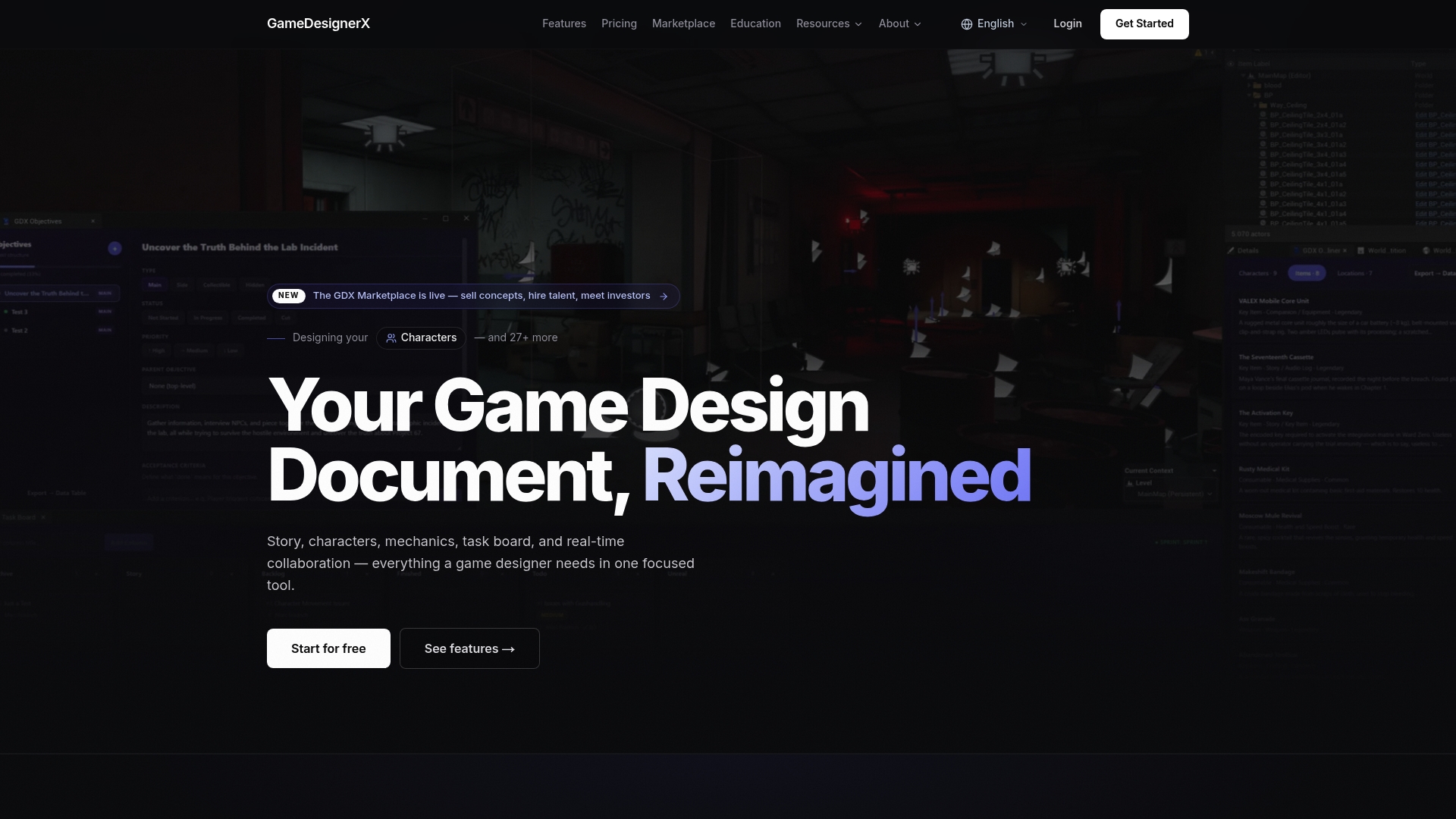
Most designers spend more time formatting their portfolio than building it. GameDesignerX cuts that ratio down by giving you a structured GDD environment where case-study content lives alongside your design work from the start.
The platform’s structured modules cover story, mechanics, characters, and world — the same categories that make up a strong portfolio case study. Export any GDD as a polished PDF or Markdown file and it becomes your documentation artifact. The built-in task board generates a production timeline you can screenshot for process notes. The Unreal Engine plugin keeps your design documentation connected to your build environment.
For designers ready to go further, the GameDesignerX Marketplace lets you list concepts and GDDs directly — turning portfolio pieces into assets that studios and investors can find. Start with a free template, build one case study end-to-end, and export it to your personal site. That is a concrete next step you can complete today.
Curated resources and example portfolios to study
These are real portfolios and showcases worth studying for structure, process documentation, and presentation:
- Oliver William Walker — Game Design Portfolio: strong example of design goals and learning outcomes as core case-study sections
- Akira.games — Game & Level Designer Portfolio: modular case studies with annotated level maps and UI flow diagrams
- Germán López — Game Design Portfolio: clear engine and tooling documentation paired with project artifacts
- Alexis Arenas — Game & Level Designer Portfolio: two-layer structure (landing page + detailed prototype pages) done well
- Oliver Read — Game Design Portfolio: role statements, design goals, and annotated artifacts in a clean format
- IGDA Student Portfolios: curated early-career examples from the International Game Developers Association
- Quinnipiac Game Design Student Portfolios: academic showcase with a range of student work
| Resource What it provides | |
| GDIAC Showcase — Cornell | Annual spring showcase (April–May); vetted student work with process notes |
| UCF NSCM Game & Graduate Showcase | Playable student games, juried awards, and graduate work |
| Northeastern Game Design Showcase | Student and faculty work across game design and digital media |
| Itch.io | Hosting for playable builds; browse prototypes for format inspiration |
| GitHub | Source code and README documentation; study how designers structure repos |
| Quantum3 Studios | Industry production workflows and tooling context for professional reference |
Recommended
- Core Game Design Principles: The Fundamentals Every Designer Should Know — GameDesignerX Blog — GameDesignerX
- GameDesignerX — Professional Game Design Document Tool
- Blog — GameDesignerX — GameDesignerX
- Introducing Game Designer X — A Modern Workspace for Game Design — GameDesignerX Blog — GameDesignerX